
What a Bank Statement Looks Like With an Annotated Example
Thomas Gak-Deluen9 min read

Knowing what a bank statement looks like makes it easier to recognize the right document, find the figures you need and avoid confusing it with an account screenshot. Most statements have three recognizable parts: account information at the top, a summary of balances and a table of transactions. The annotated example below shows how those parts fit together, including which details can change between banks.
Recognizing a bank statement at a glance
A bank statement is a bank-issued record of activity for a particular account over a defined period, often a month. It may arrive as a paper document or a downloadable PDF, and it can run across several pages.
Look first for the bank’s name, the account holder’s name, an account identifier and dates labeled “Statement period” or similar. Below those details, you will usually find balances and transaction entries.
A statement covers a period, not just a moment. An online banking dashboard may show your current balance and recent purchases without being an official statement. Pending transactions generally do not form part of the statement’s posted transaction history.
What a bank statement looks like: an annotated example
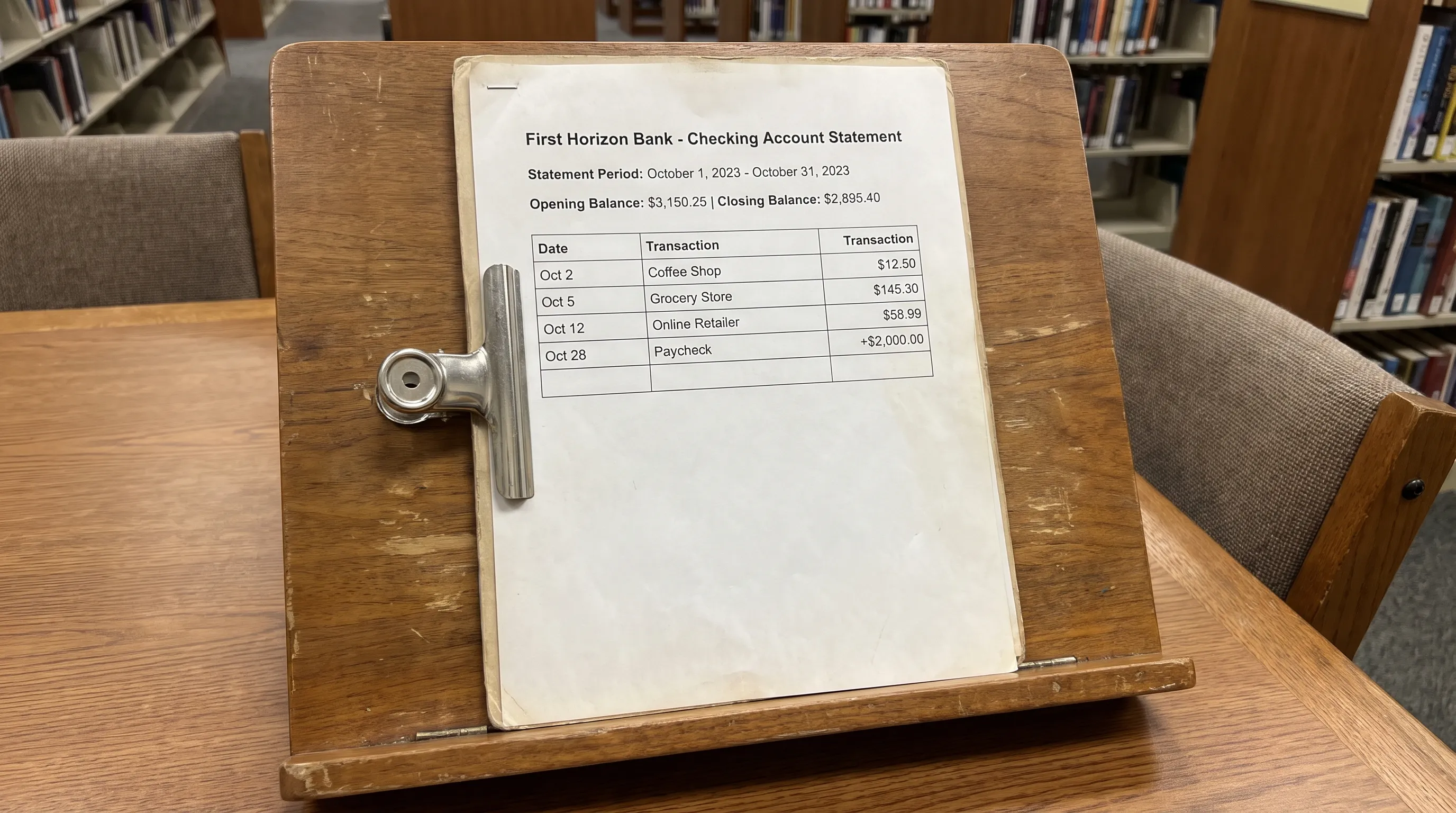
The following is a fictional checking-account statement, simplified for readability. It is an educational example, not a bank-issued document or proof of funds. All amounts are in US dollars.
The header and account summary
| Label | Example field | What it tells you |
|---|---|---|
| A | Issuing institution: Example Bank, fictional | Which institution issued the statement |
| B | Account holder: Sample Account Holder | Who owns the account; a mailing address may also appear |
| C | Account: Checking, ending 4821 | Which account the document covers |
| D | Statement period: April 1 to April 30, 2026 | The dates covered by this statement |
| E | Opening balance: $1,250.00; closing balance: $3,140.50 | The account balance at the beginning and end of the period |
Some banks place all these details on the first page. Others repeat the account identifier and statement period in a smaller header on every page.
The transaction table
| Posted date | Transaction description | Money out | Money in | Running balance |
|---|---|---|---|---|
| Apr 3 | Payroll deposit | 3,000.00 | 4,250.00 | |
| Apr 4 | Grocery purchase | 85.00 | 4,165.00 | |
| Apr 5 | Rent payment | 1,200.00 | 2,965.00 | |
| Apr 12 | Reimbursement | 250.00 | 3,215.00 | |
| Apr 18 | Utility payment | 64.50 | 3,150.50 | |
| Apr 30 | Monthly account fee | 10.00 | 3,140.50 |
The summary totals for this example are $3,250.00 received and $1,359.50 paid out. The closing balance follows from:
$1,250.00 + $3,250.00 − $1,359.50 = $3,140.50.
This example shows what a bank statement looks like when it includes a balance after every transaction. Some banks provide only opening and closing balances, without that final column.
How the annotations relate to the page
A through C identify the institution, customer and account. Account numbers are often partially masked. A routing number, branch address or customer-service telephone number may also appear, but their placement varies.
D defines the reporting window. Do not assume that a document downloaded in May covers May. It might report April’s activity, or a statement cycle that crosses two calendar months.
E summarizes the period. The closing balance is not necessarily today’s balance. Later payments, deposits and holds can change what you see in your banking app.
In the transaction table, the posted date tells you when an entry was recorded on the account. It can differ from the date you made a purchase. The description provides a reference, while the money-in and money-out columns show its effect on this checking account.
Why layouts differ between banks
There is no single universal statement design. What a bank statement looks like depends on the institution, account type and delivery format, so recognize the information rather than expecting one exact arrangement.
| Layout feature | Common variations | How to interpret it |
|---|---|---|
| Transaction amounts | Separate withdrawal and deposit columns, or one signed amount column | Read the column headings and any sign legend |
| Transaction order | One chronological list, or separate sections for checks, deposits and withdrawals | Separate sections may not form one continuous running-balance sequence |
| Dates | One posted-date column, or transaction and posted dates | Use the appropriate date for the question you are checking |
| Summary placement | First-page box, separate summary page or closing section | Check that the summary belongs to the same account and period |
| Additional details | Check images, fee summaries or interest information | These may appear after the main transaction pages |
A negative amount often indicates money leaving a deposit account, but do not rely on color or a minus sign alone. Some statements use debit and credit labels or place amounts in different columns.
Checking, savings and credit card statements look different
A checking statement typically emphasizes payments, withdrawals, deposits and account fees. A savings statement may have fewer transactions and a separate interest section. Business statements can include company details, payment references and more extensive transaction listings.
A credit card statement needs a different reading approach. It generally shows an amount owed rather than money held on deposit. Purchases and fees increase that debt, while payments and applicable credits reduce it.
| Deposit-account statement | Credit card statement |
|---|---|
| Opening and closing account balances | Previous balance and new balance owed |
| Deposits, payments and withdrawals | Purchases, payments, credits, fees and interest |
| Funds held in the account, or an overdraft | Credit limit and available credit |
| Usually no minimum payment requirement | Minimum payment and payment due date |
When identifying what a bank statement looks like, the presence of a payment due date and minimum payment is a strong clue that you are viewing a credit card statement. Do not apply the checking-account example’s balance logic to card debt without adjusting for that difference.
What transaction descriptions can and cannot show
The description column is often abbreviated. A card purchase may show a payment processor, a trading name or a location rather than the shop name you remember. Transfers may include only a reference and a shortened counterparty name.
For a business buying engineering and inspection services, for example, the statement records the payment; the supplier’s invoice explains the work performed. The bank entry alone does not establish the service scope, invoice breakdown or applicable tax treatment.
Likewise, a deposit labeled “transfer” does not automatically represent income. It could be money moved between your own accounts. Recognizing the layout is the first step, but understanding a transaction may require a receipt, invoice or transfer confirmation.
For a more detailed review after identifying the fields, follow the guide to reading a bank statement and verifying each transaction.
How to get an official statement or an older copy
Sign in through your bank’s official website or app and look for a section labeled “Statements,” “Documents” or “eStatements.” Select the account and reporting period, then download the bank-issued file where available.
A transaction-history export is not necessarily the same document. A CSV may contain useful entries without the bank’s statement header, period summary or complete set of pages. If someone requests a statement, confirm the document requirements before sending an export or screenshot.
If you are unsure what a bank statement looks like in your particular app, distinguish the downloadable statement from the live activity screen. The statement should identify its reporting period, even if its design differs from the example above.
For older records, check the online archive first. If the period is unavailable, contact the bank about retrieval options, possible fees and delivery time. For a closed account, online access may no longer work, so ask the bank directly. Record availability and identity-verification requirements vary by institution.
What to hide before sharing a statement
The header makes a statement recognizable, but it can also expose sensitive information. Before sharing, ask what the recipient actually needs and whether a redacted copy is acceptable. A lender, accountant or verification provider may have specific requirements.
For an informal example or public screenshot, remove full account numbers, mailing addresses and unnecessary identifying details. Transaction descriptions can reveal employers, medical providers, locations and information about other people. Check every page, including check images and repeated headers.
To explain what a bank statement looks like publicly, use a clearly fictional sample rather than a real customer’s document. A sample can preserve the useful layout without exposing anyone’s financial history.
For PDFs, use a proper redaction function that removes the underlying information. Drawing a black rectangle over text may leave that text recoverable. Apply the redactions, save a separate copy and check the result, including whether hidden text remains searchable or selectable. Keep the original unchanged for your records.
A familiar layout does not prove authenticity
A bank logo, neat transaction table and correct arithmetic do not prove that a document came from a bank. Equally, an unfamiliar layout does not automatically make a genuine statement suspicious.
Treat the example here as a guide to document structure, not an authenticity test. Even when every row adds up, that establishes only numerical consistency. It does not independently establish the source of the document or whether a transaction was authorized.
If you need to assess a document before relying on it, the guide to authenticating a bank statement before sharing explains source checks and the limits of visual inspection.
Knowing what a bank statement looks like helps you spot missing sections or mismatched dates. For consequential decisions, obtaining the original through a trusted bank channel is more useful than comparing fonts or logos with an online sample.
Frequently asked questions
Does a bank statement show every transaction? It generally shows transactions posted during the stated period. Pending activity and transactions posted after the closing date may appear elsewhere or on a later statement. Review all pages, since some transaction types may be listed separately.
Is a screenshot of my balance a bank statement? Usually not. A balance screenshot typically lacks the full reporting period, transaction history and statement summary. Ask the recipient whether a screenshot is acceptable rather than assuming it meets a statement requirement.
Can I get statements after closing an account? Contact the bank and request the account and periods you need. Availability, fees and retrieval procedures vary. You may need to verify your identity even if you previously had online access.
Does every statement include a running balance? No. Some provide a balance after each entry, while others show only period totals and opening and closing balances. The absence of a running-balance column does not itself indicate a problem.
Turn the statement into usable data
Once you have identified the account, period and transaction table, you can move from recognizing the document to working with its figures.
Extract Bank Statements converts bank statement PDFs into CSV, Excel, OFX or JSON, including scans and photos through OCR. It checks extracted figures against the statement’s running balance and declared totals before export. Those checks help establish numerical consistency, while document authenticity and transaction authorization remain separate questions.