
How to Authenticate a Bank Statement Document Before Sharing
Thomas Gak-Deluen10 min read

Before you share a bank statement document, confirm where it came from, whether it is complete and whether the recipient really needs the information it contains. A familiar logo and a balance that adds up are useful clues, but neither proves that a bank issued the file.
Authentication has two separate parts: establishing the document’s source and checking that its contents have not been altered or misread. Privacy adds another decision: even a genuine statement may contain far more information than the recipient needs.
The safest starting point is an original statement downloaded through the bank’s official website or app. If you received a forwarded PDF, scan or screenshot, treat its origin as unconfirmed until you have stronger evidence. The process below separates useful checks from conclusions those checks cannot support.
What authenticating a bank statement document actually establishes
A statement can be mathematically consistent without being authentic. Equally, a genuine statement can produce incorrect spreadsheet data if OCR misreads a decimal point or drops a transaction row.
Keep these questions separate throughout your review:
| Question | Useful evidence | What it does not establish |
|---|---|---|
| Did the file come from the bank? | Direct download from the official banking portal or confirmation through an independently verified bank channel | That a forwarded copy is unchanged |
| Has the PDF changed since signing? | Successful validation of a trusted digital signature, if present | That an unknown signer represents the bank |
| Are the figures internally consistent? | Running-balance and statement-total checks | That the bank issued the document |
| Is sharing appropriate? | A verified request, a clear purpose and appropriate authorization | That every transaction must be disclosed |
No single visual or arithmetic check proves authenticity. Stronger confidence comes from independent evidence that agrees: a reliable source, complete records and consistent figures.
The level of assurance should match the stakes. Sending records to your own accountant is different from accepting financial evidence for a lending decision. High-stakes recipients may require their own bank-verification process rather than accepting checks performed by the sender.
Start with the source, not the logo
If the account is yours, open the bank’s app or navigate to its official website yourself. Avoid signing in through links in an unexpected email or message. Download the statement for the required account and reporting period, then retain that original file unchanged.
For a bank statement document supplied by someone else, ask how it was obtained. A PDF downloaded from online banking is a better starting point than a cropped screenshot, but the explanation alone is not independent verification. When appropriate, ask the account holder to obtain a fresh statement or use a bank-supported verification process.
Never ask for another person’s password, security answers or one-time authentication code. They should access their account themselves.
If a message claims to come from a bank, verify it using contact details you already trust. The FTC’s phishing guidance recommends contacting an organization through a phone number or website you know is genuine, rather than relying on information in a suspicious message.
Preserve the original download separately from working copies. Record when you obtained it, its source and the statement period. This creates a useful record of what you actually reviewed.
Inspect the file without treating appearance as proof
Check the account holder’s name, masked account number, institution name, statement dates and page sequence. Confirm that the file includes all pages, including any page carrying opening balances, closing balances or summary totals.
When reviewing a bank statement document, look for inconsistencies that deserve follow-up: abrupt font changes within the same field, text covering other text, unexplained gaps in transaction sequences or different account identifiers across pages. Compare against a known genuine statement from the same account when available.
These are warning signs, not verdicts. Banks change templates, PDF generators use multiple fonts and scanning can distort spacing. A legitimate file may also contain several text layers for accessibility or search.
PDF metadata has similar limits. A creation date or software name may help explain the file’s history, but metadata can change through downloading, scanning, compression or ordinary document processing. It is not a certificate of origin.
Do not upload sensitive statements to an unfamiliar “authenticity detector” simply because it promises a fraud score. First establish who operates it, how files are retained and whether you are authorized to disclose the data.
If the PDF has a digital signature
Some bank-issued PDFs contain a cryptographic digital signature. Many legitimate statements do not, so its absence is not evidence of fraud.
If a signature exists, inspect its validation details in a suitable PDF reader. Adobe’s guidance on validating digital signatures explains how to examine the signer’s certificate and signed document status.
Check both the signer’s identity and whether the reader reports changes after signing. A signature from an unknown party is not equivalent to a bank signature. A visible signature image or stamp is also not the same as a cryptographically verifiable signature.
An invalid or untrusted result needs investigation. It can reflect document changes, certificate-trust issues or other technical problems, so do not interpret it as automatic proof of forgery.
Check the numbers, but keep the conclusion narrow
Financial reconciliation can expose missing rows, changed amounts and extraction mistakes. It cannot establish who created a bank statement document.
For a typical deposit account, the basic relationship is:
Opening balance + credits - debits = closing balance.
For example, an opening balance of $2,400, credits of $3,100 and debits of $2,250 produce a closing balance of $3,250. This is an illustrative calculation, not evidence about any particular account.
Where the statement provides running balances, verify each transaction against the next balance. Include fees, interest and adjustments according to the bank’s presentation. Credit card statements use different balance relationships, so do not apply a deposit-account formula without checking the statement’s conventions.
Compare the previous period’s closing balance with the current period’s opening balance when both statements are available. Investigate mismatches rather than assuming they indicate fraud: you may have the wrong account, an incomplete period or a corrected statement.
Our guide to reading a statement and verifying its transactions explains the numerical review in more detail.
A fabricated statement can be made to balance. The correct conclusion from successful reconciliation is “the figures are internally consistent,” not “the document is authentic.”
Resolve discrepancies through an independent bank channel
If the account name, reporting period, signature status or balances remain unexplained, pause before sharing. Preserve the questionable file and request a fresh original rather than editing it to make the discrepancy disappear.
For your own bank statement document, contact the bank through its secure messaging service, official app or independently verified phone number. Describe the specific issue, such as a missing page or a closing balance that does not match the account’s transaction history.
If you are reviewing someone else’s records, obtain appropriate authorization before seeking account information. Banks may be unable to discuss the account with you. The account holder may need to request a replacement statement, a bank letter or an approved verification service.
Do not use a phone number printed only on the suspect document as your sole verification channel. That would rely on the same unverified source you are trying to check.
Keep a short record of the outcome: what was questioned, which channel was used and whether the issue was resolved. If the bank cannot confirm the evidence, describe it as unverified rather than declaring it fraudulent without adequate support.
Share only what the recipient needs
Before sending a bank statement document, ask the recipient to confirm the purpose, required period, accepted format and fields that must remain visible. Verify the requester separately if the request is unexpected or the delivery instructions have changed.
A statement may disclose salary, rent, health-related spending, donations and other personal activity. Authenticity does not make unrestricted disclosure appropriate.
For proof of account ownership, a bank-issued account confirmation letter may be sufficient. It is not the same as a statement: it may establish ownership without providing transaction history. Ask whether that alternative meets the recipient’s requirements before sending it.
Redact a copy, not the original
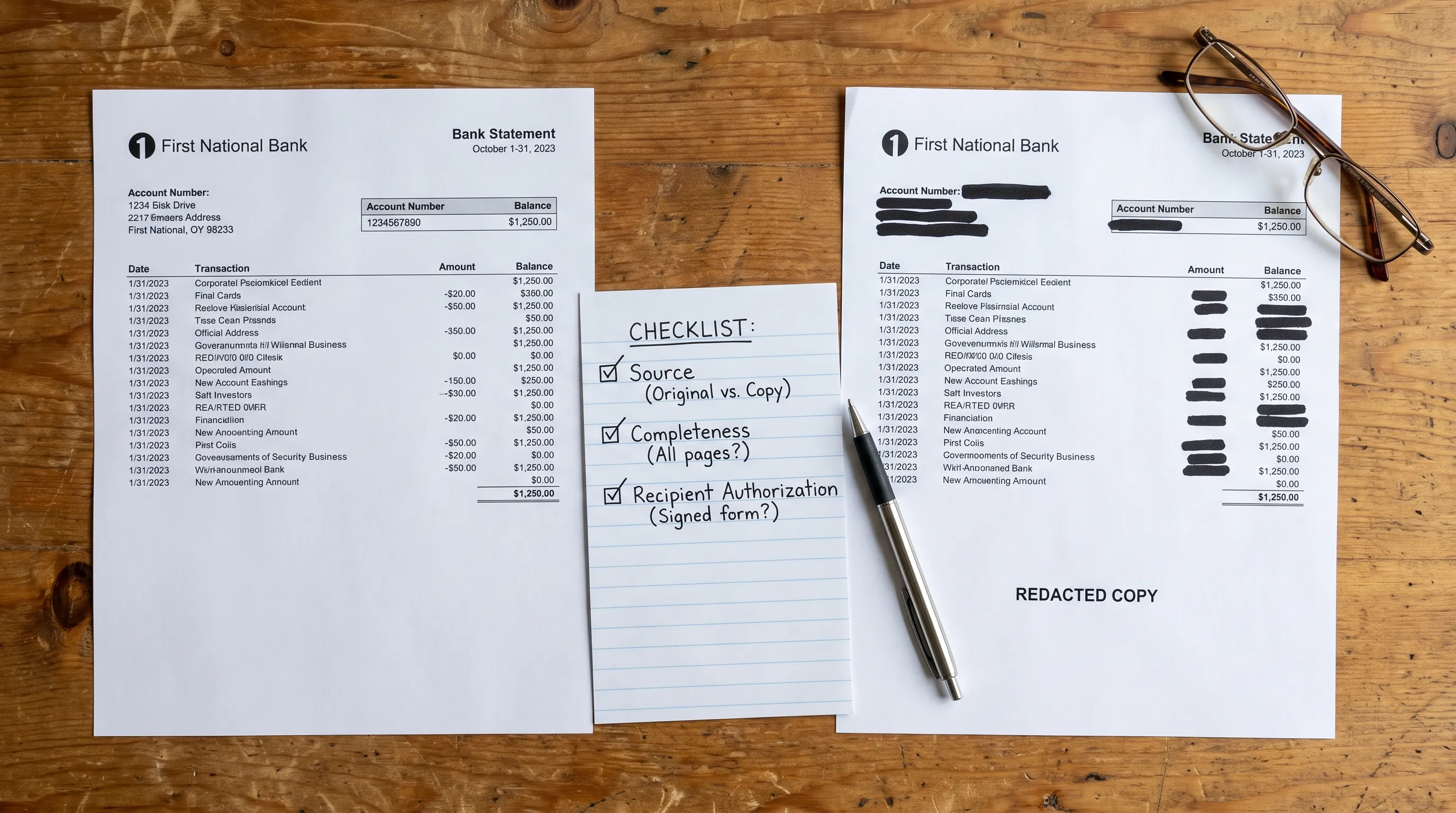
Keep the original unchanged and create a separate sharing copy if redaction is accepted. Agree on what can be removed, particularly account numbers, unrelated transactions and addresses.
Use a proper redaction function that removes the underlying content. Drawing a black rectangle over text may leave it selectable or recoverable. Check the saved copy by searching for removed text, attempting to select it and reviewing document comments, attachments and properties.
Redaction can affect digital-signature validation because it changes the document. Label the copy as redacted and retain the original for an authorized verification process. Do not quietly edit transaction amounts, names or dates.
Check authority when helping someone else
If you are assisting someone who uses daytime support services such as Ons Plekske, explain the request in accessible language and confirm who is authorized to act. Participation in a support program does not, by itself, authorize anyone to access or share a person’s bank records.
The same principle applies when helping a relative, client or colleague: confirm the person’s instructions and any applicable representative authority. Do not assume that possessing the file gives you permission to distribute it.
Use an agreed delivery channel
Send the bank statement document through the recipient’s verified upload portal or another agreed secure channel. Check the destination before uploading, especially when someone has supplied a new link by email.
If password-protected files are accepted, communicate the password through a separate channel. Do not send banking login credentials under any circumstances. Remove unnecessary shared-drive access after the exchange and retain copies only as required for the task and applicable obligations.
Make a documented share, hold or replace decision
A short decision record is more useful than an unsupported “looks genuine” label. Note the file reviewed, its source, the checks performed and any limitations.
Use three practical outcomes:
- Share: The source is sufficiently established for the purpose, the required pages are present, discrepancies are resolved and disclosure is authorized.
- Hold: The source, requester or contents remain uncertain. Obtain clarification before distributing the file.
- Replace: The file is incomplete, unreadable or unsuitable for the recipient’s requirements. Request a fresh bank-issued copy or accepted alternative.
Passing numerical checks alone should not move a bank statement document into the “share” category. Source and authorization still matter.
If you extract data for analysis, retain a clear connection between the original PDF and its spreadsheet output. OCR can misread otherwise genuine records, so investigate extraction differences separately from questions about authenticity. Our explanation of how document recognition finds statement fields covers why reading text and reconstructing financial data are different tasks.
Frequently asked questions
How do I download an original statement PDF? Sign in through your bank’s official app or website, open the statements or documents area and select the account and period. Labels vary by bank. Prefer the downloadable statement over a screenshot or a browser printout of recent activity.
Can I refuse to provide a statement? You can question the request, ask why it is needed and propose a less revealing alternative. Whether refusing affects an application, service or legal obligation depends on the context. Confirm the recipient’s requirements before deciding.
Is proof of account the same as a bank statement? No. Proof of account generally confirms account ownership or details, while a statement reports activity and balances over a period. The recipient decides which evidence satisfies its process.
Can a scan be authenticated? A scan can be checked for completeness and numerical consistency, but it usually provides less direct evidence of origin than a bank-issued digital file. For higher-assurance use, request an original download or bank-supported confirmation.
Does a balanced bank statement document prove it is genuine? No. Matching totals establish internal consistency only. Authentication also depends on reliable evidence of origin and, where relevant, whether the file has changed.
Verify the figures before exporting
Once you have established the source and permission to process the file, Extract Bank Statements can convert statement PDFs into CSV, Excel, OFX or JSON and check figures against the statement’s running balance and totals. It also supports scans and photos through OCR.
Use those checks to improve data reliability, not as a substitute for confirming that the bank issued the document.