
How Document Recognition Finds Fields in Bank Statement PDFs
Thomas Gak-Deluen8 min read
A bank statement PDF can contain perfectly readable numbers and still produce an incorrect spreadsheet. An amount might be extracted accurately but assigned to the balance column instead of the withdrawal column. Document recognition goes beyond reading characters: it identifies what each piece of information means. That distinction matters when you need transaction dates, account details and financial amounts in the right fields, not just a page of searchable text.
The process combines text, page layout and financial context. Understanding those signals helps explain both how extraction works and where a result still needs checking.
What finding a field actually means
A field is a defined piece of information, such as an account number, statement end date or transaction amount. Finding it requires three decisions: locating the relevant content, assigning its role and converting it into a usable value.
For example, the text 09/30/2026 could represent the statement closing date, a transaction date or a payment due date. Reading those characters correctly does not establish which field they belong to.
Likewise, 1,250.00 could be an opening balance, a deposit or a closing balance. Its meaning depends on surrounding labels and its position within the document.
Recognition therefore produces an interpretation, not merely a transcription. A useful extraction preserves enough context to distinguish values that look identical but serve different purposes.
How document recognition assigns meaning to PDF content
A recognition pipeline may use rules, learned models or a combination of both. The architecture varies, but the underlying task remains the same: connect each candidate value to the correct field using evidence from the statement.
Labels narrow the search
Explicit labels provide a strong starting point. Text such as “Account number,” “Statement period” or “Closing balance” indicates what a nearby value probably represents.
However, “nearby” is not always straightforward. A value might appear to the right of its label, underneath it or across several lines. A statement might also use “Ending balance” instead of “Closing balance.”
The system needs to recognize equivalent labels without treating every occurrence as the same field. “Previous balance” in a credit card summary, for example, has a different role from a running balance beside an individual transaction.
Labels work best when combined with the section in which they appear.
Position and structure resolve competing candidates
PDF text is not necessarily stored in the order a person reads it. A text extractor may return fragments from different columns together, even when the page looks orderly.
For this reason, document recognition uses positional evidence to connect a value with its likely label, row or column. Coordinates can help distinguish an amount under “Money out” from an amount under “Balance.”
Section boundaries matter too. A date in the account summary should not automatically become a transaction date. A number in a footer should not become an account identifier merely because it has a similar length.
Repeated structure provides additional evidence. If successive transaction rows consistently place dates on the left and balances on the right, that pattern helps interpret a row with an unusually long description.
Data types and financial context test the interpretation
A candidate field should also resemble the kind of value expected there. Dates need valid calendar values. Amounts need a consistent decimal interpretation. Account identifiers should remain text so that leading zeros are not lost.
These checks require context rather than one universal format. 1,234.56 and 1.234,56 can represent the same amount under different conventions. A currency symbol alone may not resolve which convention applies.
Dates can be equally ambiguous. 03/04/2026 should not be normalized without evidence about whether the statement uses month-first or day-first ordering.
In these cases, document recognition should use consistent patterns across the statement instead of making an isolated guess. If the evidence remains insufficient, a review step is safer than silently choosing a format.
For scanned PDFs, OCR supplies the text candidates first. Our explanation of how OCR handles blurry statement scans covers that earlier character-reading stage.
A worked example: identical numbers, different fields
Consider this simplified, fictional checking account statement:
| Location on the statement | Visible content | Intended field |
|---|---|---|
| Account summary | Opening balance: $1,000.00 | Opening balance |
| Transaction row, Money in column | $250.00 | Credit amount |
| Same transaction row, Balance column | $1,250.00 | Running balance |
| Next transaction row, Money out column | $80.00 | Debit amount |
| Account summary | Closing balance: $1,170.00 | Closing balance |
A character reader can correctly recognize every amount while leaving their relationships unresolved. The recognition stage must attach $250.00 to the credit field and $1,250.00 to the running balance of the same transaction.
The arithmetic then supports that interpretation: $1,000.00 plus $250.00 equals $1,250.00. The next $80.00 debit reduces the balance to $1,170.00.
Here, document recognition establishes the field assignments, while reconciliation checks whether those assignments are financially consistent. Neither step replaces the other.
A wrapped transaction description adds another challenge. Text on a second line may belong to the existing transaction rather than start a new one. Treating it as a separate transaction could shift subsequent dates or amounts into the wrong records.
What happens when a field is uncertain
Not every candidate has equally strong evidence. A clearly labeled closing balance is easier to classify than an unlabeled amount on a cropped page.
A useful workflow distinguishes uncertainty in the characters from uncertainty in the field assignment. OCR may be confident that a number reads 800.00, while the surrounding layout leaves its role unclear.
Review is especially valuable when a statement has missing column headings, handwritten annotations or a transaction row split across pages. Repeated page headers also need to be excluded from transaction data rather than interpreted as new records.
For a questionable field, the reviewer needs the original value, its location and the context used to interpret it. A normalized amount alone does not explain whether a minus sign was present or inferred from the column heading.
The goal of document recognition is not to fill every field at any cost. An unresolved value is preferable to a confident-looking value assigned without sufficient evidence.
Verification tests whether the interpretation holds
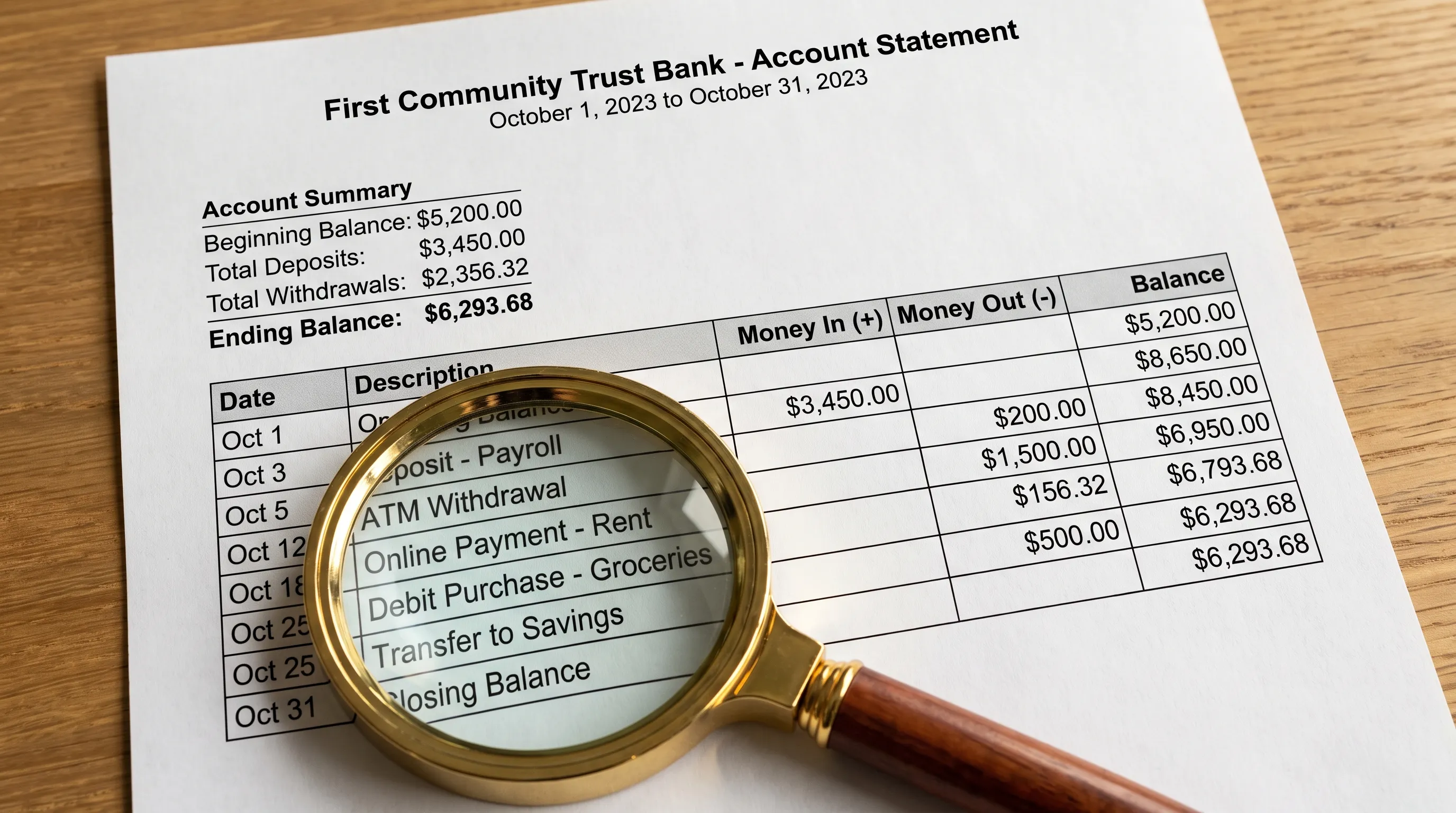
Once values have been assigned, financial checks can expose some recognition errors. For a checking account with transaction-level balances, the basic relationship is:
Previous balance + credit amount - debit amount = next balance.
A mismatch may indicate a missed transaction, an incorrect amount, a reversed sign or a value placed in the wrong field. Declared totals offer another check, provided the extracted transactions cover the same period and categories as those totals.
Credit card statements need different handling. Purchases commonly increase the amount owed, while payments reduce it. The statement's conventions must determine the calculation rather than importing assumptions from a deposit account.
Document recognition and verification are therefore complementary: one proposes the meaning of the data, and the other tests specified relationships between the resulting values.
A balanced result is not proof that every description, date or account identifier is correct. Our guide to what statement reconciliation actually proves explains those limits in more detail.
Software correctness is a separate layer
Teams building extraction workflows also need to test whether their software follows its stated rules. A parser might work on one sample but fail after a change to date handling or amount normalization.
Useful requirements are specific and testable: preserve leading zeros in account identifiers, do not interpret page subtotals as transactions and do not change an ambiguous date without supporting evidence.
Tools for continuous correctness audits address this engineering layer by connecting approved requirements to code checks, coverage and runnable findings in CI. This is separate from reconciling an individual bank statement: software checks test implementation behavior, while statement checks test the extracted data against the document.
Both layers need clear boundaries. A passing software test does not certify every uploaded file, just as a matching closing balance does not establish that every field is accurate.
What to inspect before exporting fields
Before moving data into Excel, accounting software or an automated workflow, check the interpretation rather than judging only the appearance of the export. A neatly formatted file can still contain semantic errors.
A practical field-level review covers:
- Account identity: The account identifier belongs to the intended account and retains any leading zeros or masking shown in the source.
- Date roles: Statement dates, posting dates and payment due dates have not been substituted for one another.
- Amount roles: Debits, credits and balances occupy the correct fields under the statement's conventions.
- Normalization: Decimal separators, signs and currency information have been interpreted consistently.
- Completeness: Wrapped descriptions and page transitions have not created missing or extra transactions.
This review measures document recognition more meaningfully than asking whether the PDF became searchable. The useful question is whether the exported fields preserve the statement's meaning.
For CSV exports, also inspect how the destination application imports dates and identifiers. Spreadsheet software can alter those values after extraction, creating errors that were not present in the original output.
Frequently asked questions
Is document recognition the same as OCR? No. OCR recognizes characters in images. Recognition uses text, layout and context to identify fields and their roles. A digital PDF may already contain text, but that text still needs to be interpreted.
Can fields be identified without a fixed bank template? Yes. Labels, coordinates, data types and repeated structures can support field identification across different layouts. However, unfamiliar formats still require validation, especially when headings are missing or ambiguous.
Why can an accurately read amount end up in the wrong column? Character accuracy and field accuracy are separate. The number may be correct while its relationship to a heading or transaction row is misinterpreted.
Does a matching closing balance prove the whole export is correct? No. It supports arithmetic consistency, but dates, descriptions and account details can still be wrong. Some offsetting amount errors can also leave a final balance unchanged.
Convert statements with financial checks before export
Extract Bank Statements converts bank statement PDFs into CSV, Excel, OFX or JSON and verifies figures against the statement's running balance and declared totals before export. It supports scans and photos with OCR, along with personal, business and credit card statements.
For automated workflows, REST API access and integrations are available. Start with the free first conversions to assess the output against your own statements and destination workflow.