
How an OCR Scanner Reads Multi-Page Financial Tables
Thomas Gak-Deluen8 min read
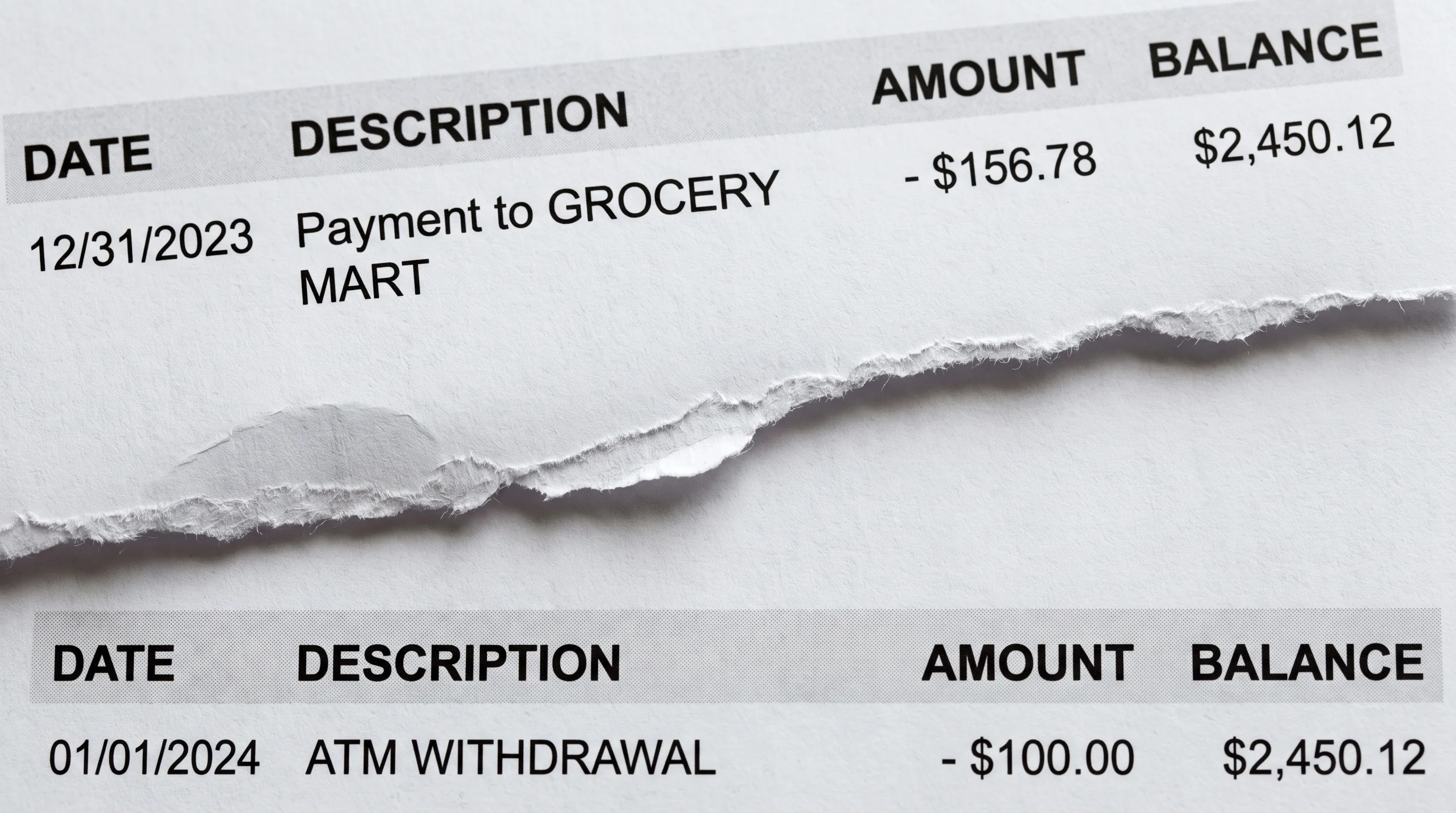
An ocr scanner can recognize every number on a bank statement and still produce an incorrect spreadsheet. The harder problem is preserving the table when transactions continue across pages, column headings repeat and a balance appears twice at a page boundary.
Reliable extraction must reconstruct one continuous financial record from several separate page layouts. That means distinguishing transactions from page furniture, reconnecting split rows and checking that the reconstructed figures agree with the statement. Here is how that process works and what to check before using the exported data.
Text recognition is only the first layer
OCR converts visible characters into machine-readable text. Its output can include the location of each word, not just a plain-text transcript. Those coordinates help a subsequent extraction layer determine whether an amount belongs under withdrawals, deposits or balance.
The Microsoft Azure Read API illustrates this distinction. Its page, line and word structure for OCR output includes bounding polygons and confidence scores. These describe recognized text and its position, but do not by themselves establish which entries form a financial transaction.
A digitally generated PDF may already contain selectable text, making image recognition unnecessary on some pages. Even then, extracting text is different from reconstructing a table. A document can contain both native text and scanned pages, so the extraction method may need to vary within the same file.
How does an ocr scanner connect tables across pages?
The extraction system needs a document-level view rather than treating each page as an unrelated table. It first establishes which pages belong to the same account, statement period and transaction sequence.
Printed page numbers help, but they are only one signal. Account identifiers, currency labels and statement dates can reveal that a file contains two statements rather than one continuous ledger. Transaction dates alone are not a safe ordering method: several entries can share a date, and some statements display transactions in reverse chronological order.
The system then maps each page's columns to a consistent schema. A withdrawal column might shift slightly on the next page because the scan is cropped differently. The correct mapping depends on heading meanings and column relationships, not identical horizontal coordinates.
Finally, it compares the end of one page with the beginning of the next. A repeated heading should disappear from transaction data, while a genuine new row must remain. Continuity is established from several signals together, not from a rule that simply joins the last line to the next page's first line.
Separate repeated page content from real transactions
An ocr scanner needs downstream rules that distinguish repeated layout elements from repeated financial activity. Removing everything that looks familiar would lose legitimate transactions, especially recurring payments or purchases with identical amounts.
At a page boundary, these items require different treatment:
| Boundary item | What it usually represents | Appropriate treatment |
|---|---|---|
| Repeated column headings | Labels for the next page's table | Use for column mapping, exclude from transaction rows |
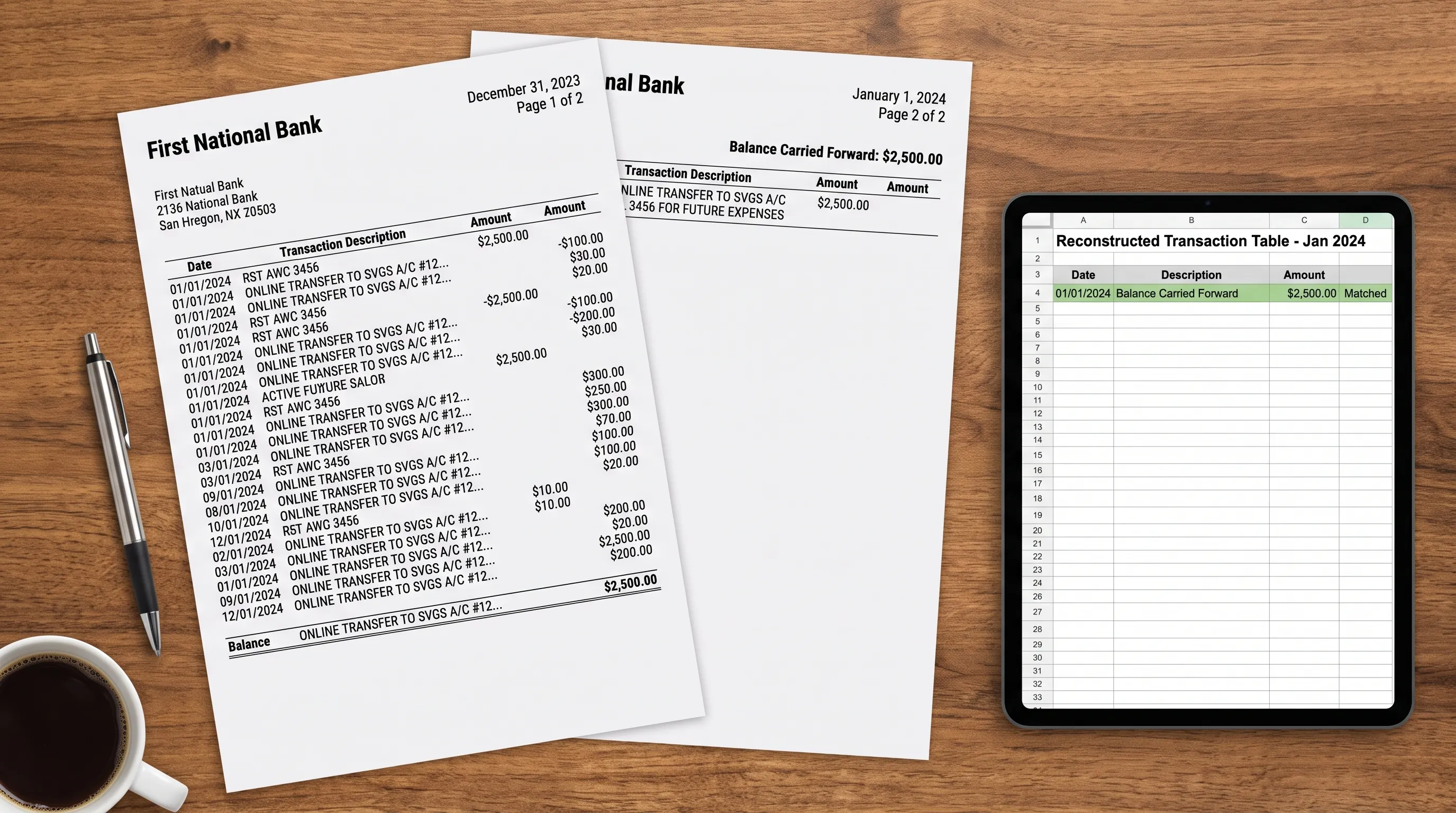
| “Balance carried forward” | A balance checkpoint from the previous page | Preserve as a control value, not a new payment |
| “Balance brought forward” | The same checkpoint restated on the next page | Compare with the preceding page's balance |
| A repeated date and amount | Possibly a separate transaction | Keep unless there is evidence of duplicated extraction |
| Page subtotal | A summary rather than another transaction | Identify its scope before reconciliation |
Duplicate detection should therefore consider the source location and surrounding rows. Two purchases for $25.00 on the same day are not duplicates merely because their date and amount match.
Similarly, a carried-forward balance is not a credit. Importing it as a deposit would inflate both transaction counts and money received, even though the OCR recognized its digits correctly.
Reconstruct transactions split across a page break
When a transaction spans two pages, an ocr scanner must preserve the relationship between its description and financial fields. This is a row-reconstruction problem, not just a reading-order problem.
For example, a transaction might start near the bottom of page two with a date and merchant name. Its reference number could continue at the top of page three, beneath a repeated header. That continuation belongs in the original description rather than becoming an empty transaction row.
A more difficult case occurs when the amount itself appears on the next page. Reconnecting it requires compatible column placement, evidence that the previous row is incomplete and consistency with the statement's balances. Proximity alone is not enough.
Blank dates also need careful handling. Some banks print a date once for a group of transactions, so an undated line may represent a new payment rather than a wrapped description. The presence of a separate amount and balance can help distinguish the two.
If the evidence remains ambiguous, the safer workflow is to retain the source text for review. It should not invent a missing amount or silently combine two rows just to make the export look complete.
Check continuity with balances and totals
An ocr scanner cannot prove financial accuracy through recognition confidence alone. A confidently recognized amount can still land in the wrong column. For a conventional deposit account with row-level balances, reconciliation supplies a separate check:
Previous balance + money in - money out = next balance.
Consider this simplified example, with an opening balance of $1,000.00:
| Source page | Transaction | Money in | Money out | Running balance |
|---|---|---|---|---|
| 2 | Deposit | $500.00 | $0.00 | $1,500.00 |
| 2 | Payment | $0.00 | $125.00 | $1,375.00 |
| 3 | Account fee | $0.00 | $5.00 | $1,370.00 |
If page two ends with “carried forward $1,375.00,” page three's brought-forward value should agree. Neither belongs in the transaction total. The statement-level calculation is $1,000.00 + $500.00 - $130.00 = $1,370.00.
If the payment is misread as $12.50, the calculated balance becomes $1,487.50 instead of $1,375.00. That mismatch identifies a problem near the affected row without proving which field is wrong.
Credit card statements require their own sign conventions because purchases generally increase the amount owed. Reverse-ordered statements also require reconciliation in the appropriate direction.
A matching closing balance is not sufficient by itself: omitted transactions can offset one another. Running balances, declared totals and transaction counts, where printed, provide complementary checks. Without row-level balances, there is less evidence for locating individual errors.
Preserve meaning when exporting the reconstructed table
A successful export should contain one record per transaction, even when the original row occupies several lines or pages. Dates, descriptions, debits, credits and balances need consistent columns rather than a reproduction of the page's visual spacing.
Normalization must preserve financial meaning. Parentheses may indicate negative amounts, decimal separators can vary by locale and a statement may express direction through separate debit and credit columns. These conventions should be interpreted before values become spreadsheet numbers.
Currency also needs an explicit boundary. Amounts from different currency sections should not be combined into one total without a documented conversion basis. A foreign purchase amount shown in the description is not necessarily the amount posted to the account.
For traceability, a robust workflow should retain a relationship between exported records and their source pages. This is a recommended control, not something that every extraction product automatically provides.
The practical test for an ocr scanner workflow is whether a reviewer can explain each exported row, including rows reconstructed across page breaks. Readable text is useful, but a usable ledger also needs correct field placement and financial consistency.
Review the places where pages join
Page boundaries deserve targeted review because several failure modes meet there: repeated labels, partial transactions and balance checkpoints. Sampling only the middle of a page can miss these errors.
Before importing the result into accounting software, check the following:
- Page completeness: Every expected page is present, in the right order and assigned to the correct statement.
- Boundary rows: The last transaction on each page and the first transaction on the next page are included exactly once.
- Continuation text: Wrapped descriptions remain attached to the correct transaction.
- Control values: Carried and brought-forward balances agree where the statement provides them.
- Summary scope: Page subtotals, cumulative totals and final statement totals are not counted as transactions.
Input quality still matters. Cropping off a footer or the last transaction removes evidence that no reconstruction method can reliably recover. Follow these practices for scanning bank statements without losing table rows before extraction.
An ocr scanner should be judged on the integrity of the reconstructed record, not merely the percentage of recognizable characters. For a broader review, use the same controls you would apply when reading a bank statement and verifying every transaction.
Frequently asked questions
Can OCR automatically combine tables across multiple pages? It can be part of a system that does. Text recognition supplies words and locations; layout analysis and document-level reconstruction connect the tables. Basic OCR output alone may still contain repeated headers and fragmented rows.
Should brought-forward balances appear in the exported transactions? Not as payments or deposits. They are control values that help verify continuity. A workflow may preserve them separately for checking, but including them as transaction amounts would distort totals.
Does a high confidence score mean the financial table is correct? No. Confidence describes recognition, not the correctness of row grouping, column assignment or transaction completeness. Financial reconciliation and source review address different kinds of errors.
What if the statement does not show a balance after every transaction? An ocr scanner workflow can still compare opening and closing balances with extracted activity and declared totals. Those checks provide less detail about individual rows, so reviewing page joins and uncertain entries becomes more important.
Convert statements with financial checks before export
Extract Bank Statements converts bank statement PDFs into CSV, Excel, OFX or JSON, with OCR support for scans and photos. It checks extracted figures against the statement's running balance and declared totals before export.
For a multi-page statement, review page continuity alongside those checks before importing the data into your next workflow. Free first conversions let you start with a statement whose figures you can independently verify.